

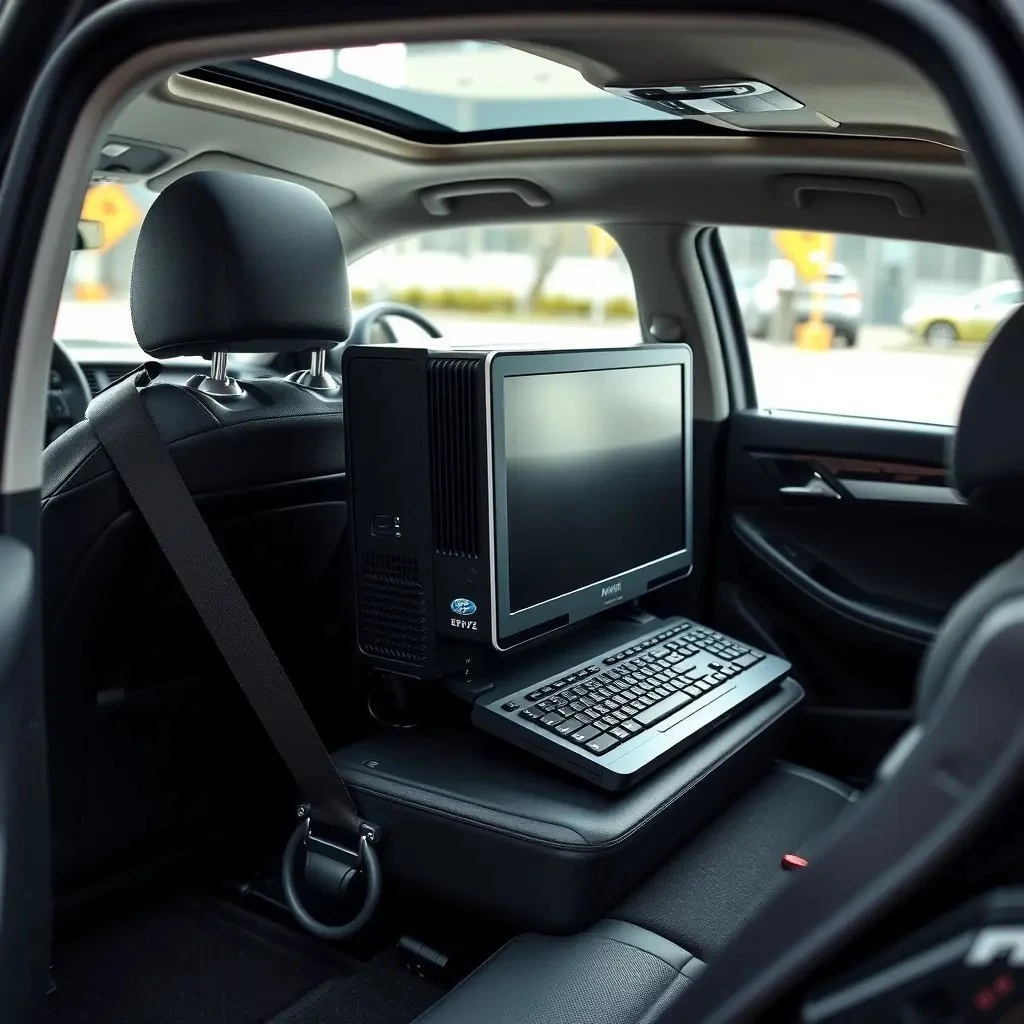
Transporting a PC in a car requires careful attention to computer safety, vehicle handling, and hardware protection. Proper techniques ensure a safe journey for your electronic equipment.
The Importance of Computer Safety During Vehicle Handling
Ensuring computer safety during vehicle handling is crucial for safeguarding your PC and its fragile components. As a valuable piece of electronic equipment, a computer is susceptible to vibration damage and other risks when transported improperly. Prioritizing hardware protection involves adopting appropriate safety measures and using protective gear to minimize potential damage. Understanding the dynamics of vehicle handling can help prevent mishaps during a car journey. It’s essential to consider interior conditions and make adjustments for secure transportation. Implementing travel precautions and being mindful of temperature regulation will aid in maintaining the integrity of your PC. Proper placement and securing of your device within the vehicle are vital steps to ensure a successful move. Following these guidelines will enhance your road trip experience and protect your investment.
Understanding the Challenges
Transporting a PC involves addressing challenges like vibration damage, climate control, and securing fragile components to ensure safe vehicle handling during a car journey.
Potential Risks for Electronic Equipment
Transporting a PC in a car poses several risks to your electronic equipment. One major concern is vibration damage, which can affect fragile components such as hard drives and motherboards. Additionally, improper vehicle handling may lead to jostling or dropping, causing physical damage. Climate control is another critical factor, as extreme temperatures can harm sensitive parts. Rapid temperature changes might result in condensation, further damaging the hardware. It’s crucial to consider interior conditions to prevent overheating or exposure to moisture. Shock absorption techniques, like using proper packaging materials, are essential to mitigate these risks. Without adequate hardware protection and safety measures, the likelihood of encountering issues increases significantly. Prioritizing these factors will ensure your PC arrives at its destination safely and in optimal condition.
Hardware Protection Measures
Ensuring hardware protection is paramount when transporting a PC in a car. Start by using appropriate packaging materials like bubble wrap and foam inserts to cushion fragile components. These materials provide effective shock absorption and minimize vibration damage during transit. Secure the PC inside a sturdy box, ensuring it fits snugly to prevent movement. Consider employing protective gear such as anti-static bags to shield electronic parts from static electricity. For added stability, use straps or bungee cords to keep the PC from shifting within the vehicle. Pay attention to temperature regulation and avoid exposing the PC to extreme heat or cold. If possible, maintain a stable temperature inside the car to protect sensitive components. By implementing these safety measures, you can significantly reduce the risks associated with moving your valuable equipment.
Preparing for the Road Trip
Proper preparation is key for a safe PC transport, focusing on shock absorption, suitable packaging materials, and effective vehicle handling to protect electronic equipment.
Effective Shock Absorption Techniques
When transporting a PC, implementing effective shock absorption techniques is crucial to safeguard fragile components. Start by wrapping the PC in multiple layers of bubble wrap, ensuring all sides are covered. This cushioning helps to absorb impact and reduce vibration damage during the car journey. Additionally, place the wrapped PC in a sturdy box, filling any gaps with foam inserts or packing peanuts for extra protection. Secure the box with strong tape to prevent it from opening unexpectedly. Consider using a double-boxing method for added security: place the first box inside a larger one with more cushioning materials. This approach enhances hardware protection by distributing shock forces evenly. By using these transportation tips and moving advice, you can significantly decrease the risk of damage to your valuable electronic equipment during transport.
Choosing the Right Packaging Materials
Selecting the appropriate packaging materials is essential for safely transporting a PC. The right materials provide hardware protection and minimize vibration damage during the car journey. Start with anti-static bubble wrap to safeguard against static discharge and cushion fragile components. Use foam inserts to fill gaps within the box, ensuring that the PC remains stable and secure. Corrugated cardboard boxes offer the necessary strength and durability to withstand external pressures. Consider adding packing peanuts or air pillows to enhance shock absorption and prevent movement during vehicle handling. Seal the box using strong, wide packing tape to ensure it remains closed. Lastly, label the box as “Fragile” to alert handlers to exercise care. By using these transportation tips, you can protect your electronic equipment effectively throughout the move.
Ensuring Secure Placement
Properly securing your PC involves considering stable positioning and climate control within the vehicle for safe road trip transport of delicate electronic equipment.
Strategies for Stable Positioning
Achieving stable positioning for your PC during transport is crucial to prevent damage. Start by placing the PC in an upright position within the vehicle to minimize stress on fragile components. Use the car’s seat belts to secure the box, ensuring it won’t shift during vehicle handling. Placing the PC on a flat surface, like the car floor, can provide additional stability. Utilize non-slip mats to prevent sliding, especially on smooth surfaces. Arrange other luggage or items around the PC to create a snug fit, acting as additional support. Avoid placing heavy objects on top of the PC box, as this could lead to compression damage. By employing these transportation tips and moving advice, you can ensure a secure placement that protects your electronic equipment throughout the car journey.
Climate Control and Temperature Regulation
Managing climate control and temperature regulation is vital when transporting a PC to prevent damage from extreme conditions. Before starting your car journey, ensure the vehicle is at a moderate temperature. Avoid leaving the PC in a car exposed to direct sunlight, which can lead to overheating. If traveling in cold conditions, allow the PC to acclimate to room temperature before powering it on, preventing condensation on fragile components. Consider using insulated covers or blankets to shield the PC from sudden temperature changes. If possible, keep the PC inside the car cabin rather than the trunk, where temperatures can fluctuate more drastically. By paying attention to interior conditions and maintaining a stable environment, you protect your electronic equipment and ensure successful vehicle handling during the move.
Transporting a PC safely involves strategic hardware protection, effective packaging materials, and mindful vehicle handling to safeguard electronic equipment during the road trip.
Final Transportation Tips and Moving Advice
When transporting a PC, follow these transportation tips and moving advice to ensure safety. First, double-check that all fragile components are properly secured and cushioned with adequate packaging materials. Prioritize shock absorption methods, such as bubble wrap and foam inserts, to minimize vibration damage. During the car journey, drive carefully, avoiding sudden stops or sharp turns that could jostle the equipment. Keep the PC in a climate-controlled environment, away from direct sunlight or extreme temperatures, to protect sensitive parts. Secure the PC in a stable position using seat belts or other restraints. Regularly monitor the interior conditions to ensure the PC maintains a consistent temperature. By considering these safety measures and travel precautions, you can effectively safeguard your electronic equipment during transport.